
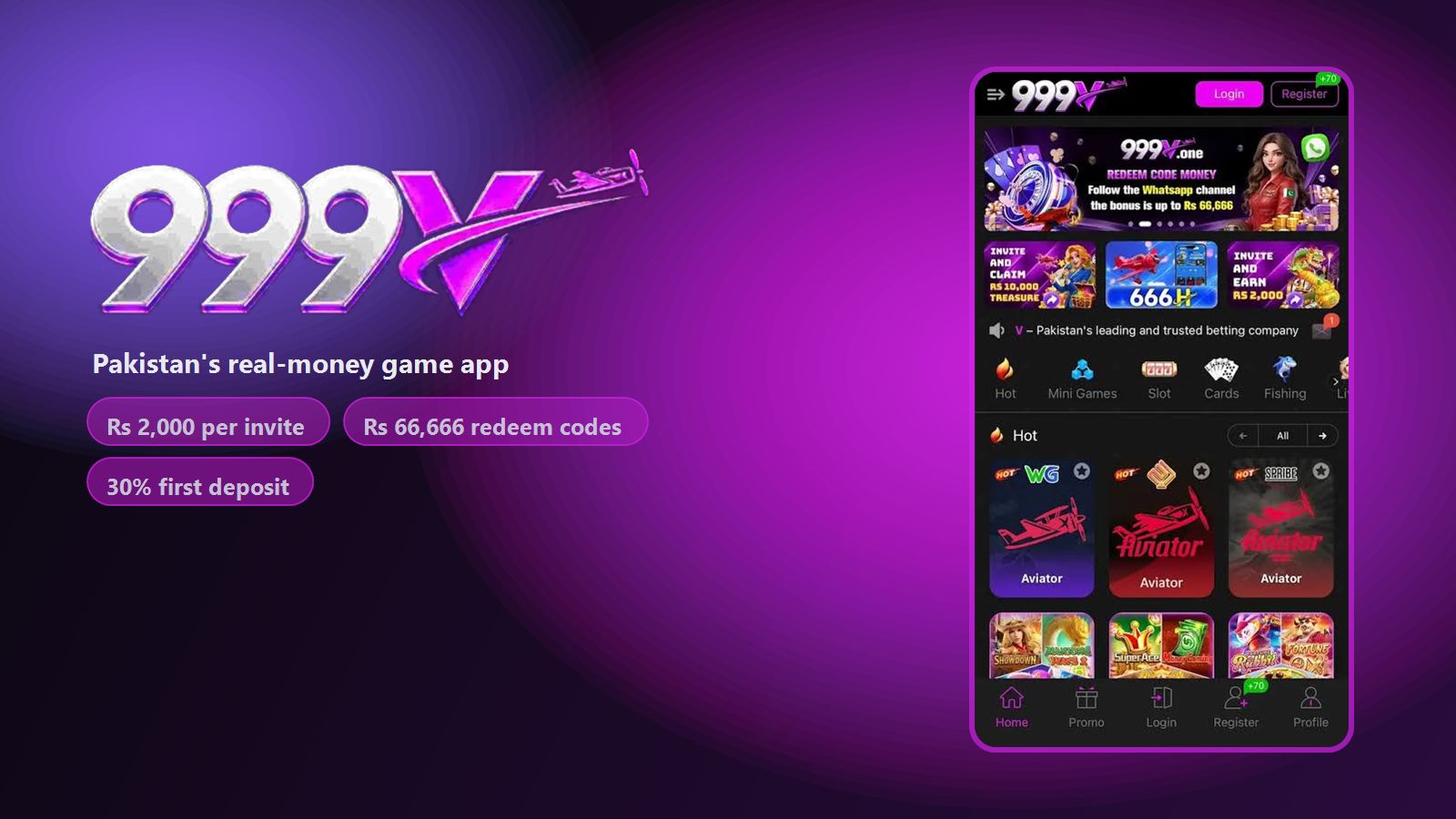
Account problems are the most common complaint about 999V, and they cluster around a handful of causes: the country code, the verification code, a number already registered, and a forgotten password. None of them require support if you know what is happening. This page walks through registration and login properly, then fixes each failure in turn.
How to Register
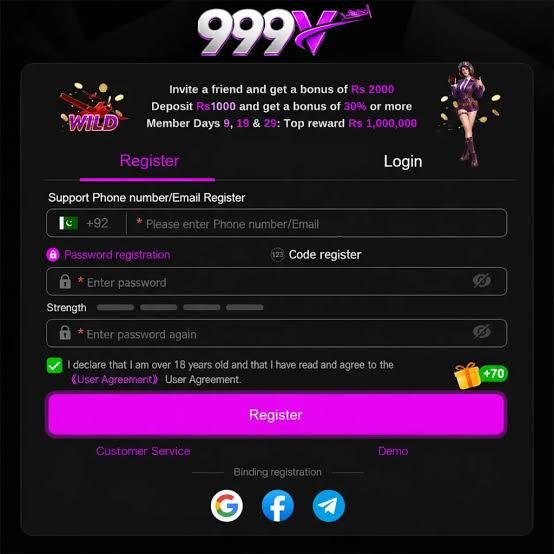
Open 999V and make sure the Register tab is selected — Login is the tab beside it, and picking the wrong one is a surprisingly common false start.
Leave the country flag on +92 and enter your mobile number without the leading zero. If your number is 03XX XXXXXXX, enter 3XX XXXXXXX.
Choose Password registration, or switch to Code register if you would rather verify by code first.
Enter a password and confirm it in the second field. Watch the strength meter — a mix of letters, numbers and length fills it.
Tick the user agreement checkbox. Registration will not submit without it.
Tap Register, then enter the verification code.
Open Promo and claim the registration reward and the daily Share spin before doing anything else.
The Name Rule That Saves You a Held Payout
This belongs on the registration page rather than the withdrawal page, because by the time it matters it is already a problem.
Your first withdrawal is checked against the name registered on your payment account. If your 999V profile says "M. Bilal" and your mobile wallet says "Muhammad Bilal Ahmed", that mismatch is enough to send the payout into manual review.
Set your profile name to exactly match the name on the payment account you intend to withdraw to — full name, same spelling, same order. Register with a number in your own name too. Two minutes here saves a support ticket and a delayed first payout.
How to Log In
Open the app and tap the Login tab.
Enter the number or email you registered with — same format, no leading zero on the number.
Type your password and tap Login.
If you bound a social account at registration, use that button instead of the password fields.
Sessions persist, so you should not need to log in every time. Being logged out repeatedly usually means the app was cleared from memory by an aggressive battery saver — exclude 999V from battery optimisation in your Android settings.
Google, Facebook and Telegram Binding
The sign-in screen offers binding to Google, Facebook or Telegram. It is genuinely convenient and it also gives you a recovery route if you lose your password.
Two cautions. First, bind an account you actually control and can recover yourself — if you lose access to the social account, recovering the 999V account attached to it becomes a support problem. Second, binding does not replace the phone number on the account; withdrawals still verify against your registered number and name.
The Verification Code Never Arrives
This is the single most reported problem, and it has five causes worth checking in order.
The leading zero. With +92 already selected, entering 03001234567 sends the code to a number that does not exist. Enter 3001234567.
Wait the full 60 seconds before tapping Resend. Repeated rapid requests can trigger a temporary block on the number, which makes the problem worse rather than better.
Check your SMS blocking. Android's spam filter and some carrier-level filters route service codes into a blocked or spam folder. Look there before assuming nothing arrived.
Confirm you have signal and credit. Receiving SMS does not require credit, but a phone in a weak-signal area queues messages and delivers them minutes late.
Try email registration instead. The register screen accepts an email address in the same field. This is the fastest workaround when a number is being stubborn.
If all five fail, use Customer Service from the sign-in screen. Give them the number you are trying and the approximate time you requested the code.
Other Login Errors
"Account already exists"
The number has been registered before — often by you, on an older install, and forgotten. Do not register a second account: switch to the Login tab and use the password reset flow instead. Multiple accounts on one number or device forfeit bonuses.
"Incorrect password" when the password is right
Check for a trailing space from autofill, and check that the login field holds your number in the same format you registered with. If you registered by email, logging in with the phone number will fail even though both belong to you.
The Login button does nothing
Usually a stale app cache. Clear it at Settings → Apps → 999V → Storage → Clear cache and reopen. If the app is several versions old, update it — the download guide explains how.
Logged out immediately after logging in
Almost always the device clock. If the phone's date and time are set manually and drifted, session tokens are rejected as expired. Set date and time to automatic.
"Network error" on a working connection
Try switching between Wi-Fi and mobile data. Some ISPs in Pakistan intermittently block gaming endpoints, and the same app will work fine on the other network.
Resetting a Forgotten Password
On the Login tab, tap the forgotten-password option.
Enter the registered number in the same format you used to sign up.
Enter the verification code sent to that number.
Set a new password and confirm it.
If the code does not arrive, work through the five checks above — a reset code and a registration code travel the same path and fail for the same reasons.
Keeping the Account Secure
- Use a password you do not use anywhere else. This account holds money.
- Never share your password or a verification code. No legitimate support agent will ask for either.
- Be sceptical of anyone offering to "boost" your balance or sell prediction tools — both are standard account-theft pretexts in this market.
- Keep your registered number active. Losing the SIM means losing the recovery path.
- Withdraw regularly rather than leaving a balance sitting in the app.
Create your 999V account
Free APK, registration in about a minute, and the Promo tab rewards are waiting on your first login.
Login FAQs
Why is my 999V verification code not arriving?
The most common cause is entering the number with its leading zero while +92 is already selected. Drop the zero, wait a full 60 seconds before requesting again, and check your SMS spam folder. Email registration is a reliable workaround.
What does "account already exists" mean?
That number was registered before, often on an earlier install. Use the password reset flow on the Login tab rather than creating a second account — duplicate accounts forfeit bonuses.
Can I change the mobile number on my 999V account?
Contact Customer Service from the app. Because the number is tied to withdrawals and verification codes, the change goes through a manual check rather than a self-service setting.
Do I need a CNIC to register on 999V?
Registration itself needs only a mobile number or email and a password. Withdrawals are verified against the name on your payment account, so that name must match your profile.
Why does 999V keep logging me out?
Usually an aggressive battery saver clearing the app from memory, or a manually-set device clock that has drifted. Exclude 999V from battery optimisation and set date and time to automatic.
Can I use 999V on two phones?
Yes. The account lives on the server, so logging in on another Android phone restores your balance, referral history and VIP progress.
Responsible play notice. 999V involves real money and uncertain outcomes. Never share a password or verification code, never play with money you cannot afford to lose, and stop at the budget you set before starting. See our editorial standards.